


{UPDATE: I just bought the Fitbit Charge HR (see details at the bottom of the post) and so far I’m in love. You can definitely save by using your Smartphone as a Fitbit, but it may be worth clipping a few coupons to save up for one of these or ask for it as a gift!}
Okie dokie folks, every single other person on the planet may know this, but I was clueless.
Did you know you can turn your Smartphone into a FITBIT?
For free??? 😉
Why yes, yes you can.

This weekend we walked a ton while traveling, and all of a sudden I noticed this little app on my iPhone pop up to let me know we’d walked over 8 miles.
My phone had been in my purse with me while we were walking, and sure enough it tracked how many miles we’d gone.
I did a little research, and it turns out you can turn just about any Smartphone into a Fitbit with a few simple steps. Here’s how to get started:
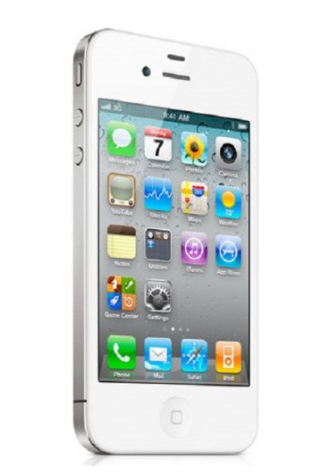
Iphone
- Download the Health App on your iPhone.
- You’ll need to have the update of iOS 8.
- Open the Health App, then go to “health data” and tap on “fitness”
- Enable “walking + Running Distance”
- Turn “Show on Dashboard” to the ON position
- Also go to “Flights Climbed” and turn “Show on Dashboard” to the ON position
- That’s it – you’re all set!
Android
Because I don’t have an Android device I’m not positive on these as I can’t try them out myself, however from the reviews I read it looks like they should work. Please share in the comments any other suggestions you have on these!
- Download Google Fit or Runtastic Pedometer Step Count
The downside to these vs. the Fitbit?
- You need to carry your phone with you to track them, which definitely isn’t as easy as the convenience of a wristband, especially when you’re just walking around the house keeping up with chores. (I thought about using a fanny pack? But, eek. I did find these though which look slightly more trendy . . . ) 😉
- I’m not positive of how accurate they are. Honestly, I figure they’d give me a general idea of what I’m walking and then I can work to add to it using the tracker which is fine for me, but the Fitbit may be more consistent.

There are several great deals on Fitbits right now so if you want to easily track your steps those may be the best way to go, but if you don’t want to shell out $80 or more, this might just work for you. (I’m pretty pleased with it so far!)
Here are the best deals I see on Fitbits right now:
- Fitbit Flex Wireless Wristband $79 (regularly $99)
- Fitbit Charge $109 at Kohl’s after Kohl’s cash)
- Fitbit Charge HR $149 at Amazon – this is not a sale price but it’s the one I purchased and so far I’m in love! They also go on sale at Ebay occasionally, so you may want to watch there too.


Fun Fact: My mom actually showed me this trick and she is at no level of knowledge in the technology department.
How funny – love that Natoli (thanks for sharing!) 🙂
where did you find the band for $12?
there is actually a free Fitbit app that you can download on your iPhone. I lIke it better than the app you mentioned because you can link up with friends that also have fit it’s, join challenges, etc.
I recently bought a Pivotal Living band which tracks steps, distance traveled, calories burned and monitors your sleep. The app that syncs with it can track hydration and weight, and you can set specific goals. It only cost $12 plus $3 shipping. I really like mine so far. Granted it doesn’t sync with the popular apps like MyFitnessPal, but heck at that price I don’t mind manually putting in my numbers. 🙂
I was going to put the google fit on my phone, but it has a lot of bad reviews. The runtastic app syncs with my fitness pal, so I will try that. Good luck!
I have pacer is that the health app? I keyed health app nothing came up.
I have a running buddy that I use. Look into them. I really like mine.