We use cookies to improve your experience and analyze how our site is used. You can choose to accept or manage your preferences—some features may not work properly without consent.
The technical storage or access is strictly necessary for the legitimate purpose of enabling the use of a specific service explicitly requested by the subscriber or user, or for the sole purpose of carrying out the transmission of a communication over an electronic communications network.
The technical storage or access is necessary for the legitimate purpose of storing preferences that are not requested by the subscriber or user.
The technical storage or access that is used exclusively for statistical purposes.
The technical storage or access that is used exclusively for anonymous statistical purposes. Without a subpoena, voluntary compliance on the part of your Internet Service Provider, or additional records from a third party, information stored or retrieved for this purpose alone cannot usually be used to identify you.
The technical storage or access is required to create user profiles to send advertising, or to track the user on a website or across several websites for similar marketing purposes.



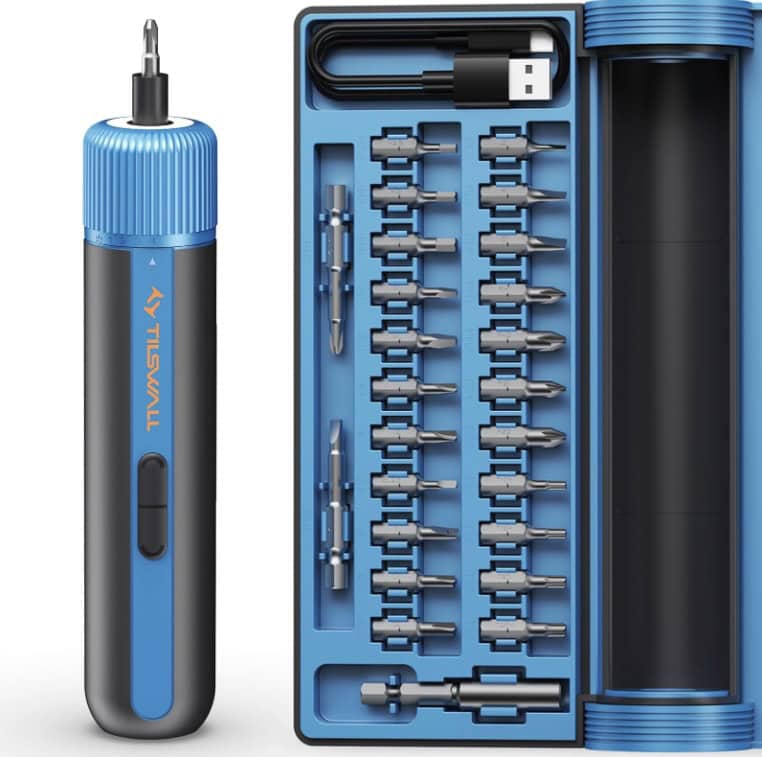



I can never get the coupon codes to work. Would you kindly explain how they work and the proper procedure to use them. This screwdriver seemed like a great deal and would make useful Christmas gifts. Thanks!
I love your blog and have used so many recipes and ideas. My DIL and I used the cooler bags as end of the year teacher gifts. I made a custom tag for them. They were a huge hit. One teacher said it was her favorite gift!! Thank you!
So sorry you’re having issues with the coupon copes. Try these steps:
1. Look for the “Gift Card/Promo Code/Voucher” option at checkout
2. Enter the code, making sure there are NO spaces on either side and no punctuation
3. Click the ARROW or APPLY button (not continue!)
4. If you get a red error message, move on to the next step anyway to see if the discount appears in your total.
Weird Tip: Leave checkout and go back in again – lots of folks are saying this makes the code work, so odd!
Let us know if this helps! 🙂