

There’s nothing like knowing you and your family are breathing in clean air.
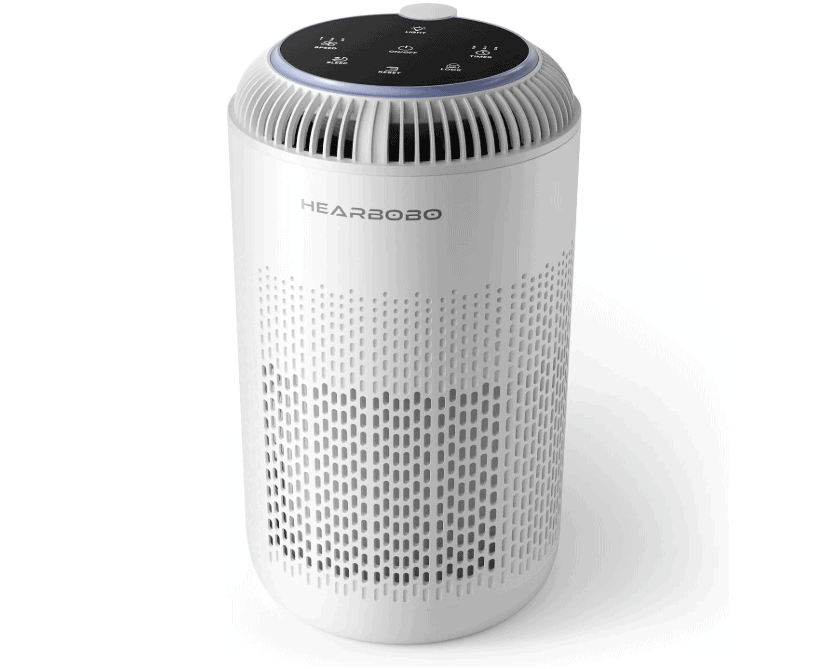
Air Purifier Sale
Want a small space air purifier for your bedroom, dorm room, office, and more? Right now, you can get this Air Purifier for UNDER $25 when you use code Q2MMRY82 at the checkout! Plus, get free shipping with Amazon Prime or Super Saver Shipping.
Here’s how to get this deal!
- Add a H13 True HEPA Air Filter to your cart – $49.99
- Use code Q2MMRY82 at the checkout
- Makes it as low as $24.99!
⚠️NOTE: If the discount doesn't work for you troubleshoot with these 4 steps:
1) Make sure the color you picked was listed on the promotion page (Some are excluded)
2) Enter the code at checkout if the discount didn't come off automatically
3) Back out of the checkout page and go back in again (OFTEN fixes it!)
3) Back out of the checkout page and go back in again (OFTEN fixes it!)
4) If you go a red message saying "this promo code can't be applied" ignore it and click the payment button to continue - it often works anyway!
Click HERE to grab yours!



This coupon code is not working
Hmm, try these steps:
1. Look for the “Gift Card/Promo Code/Voucher” option at checkout
2. Enter the code, making sure there are NO spaces on either side and no punctuation
3. Click the ARROW or APPLY button (not continue!)
4. If you get a red error message, move on to the next step anyway to see if the discount appears in your total.
Weird Tip: Leave checkout and go back in again – lots of folks are saying this makes the code work, so odd!
Let us know if this helps! 🙂